 MJ PDF
How to read PDFs in dark mode on Android
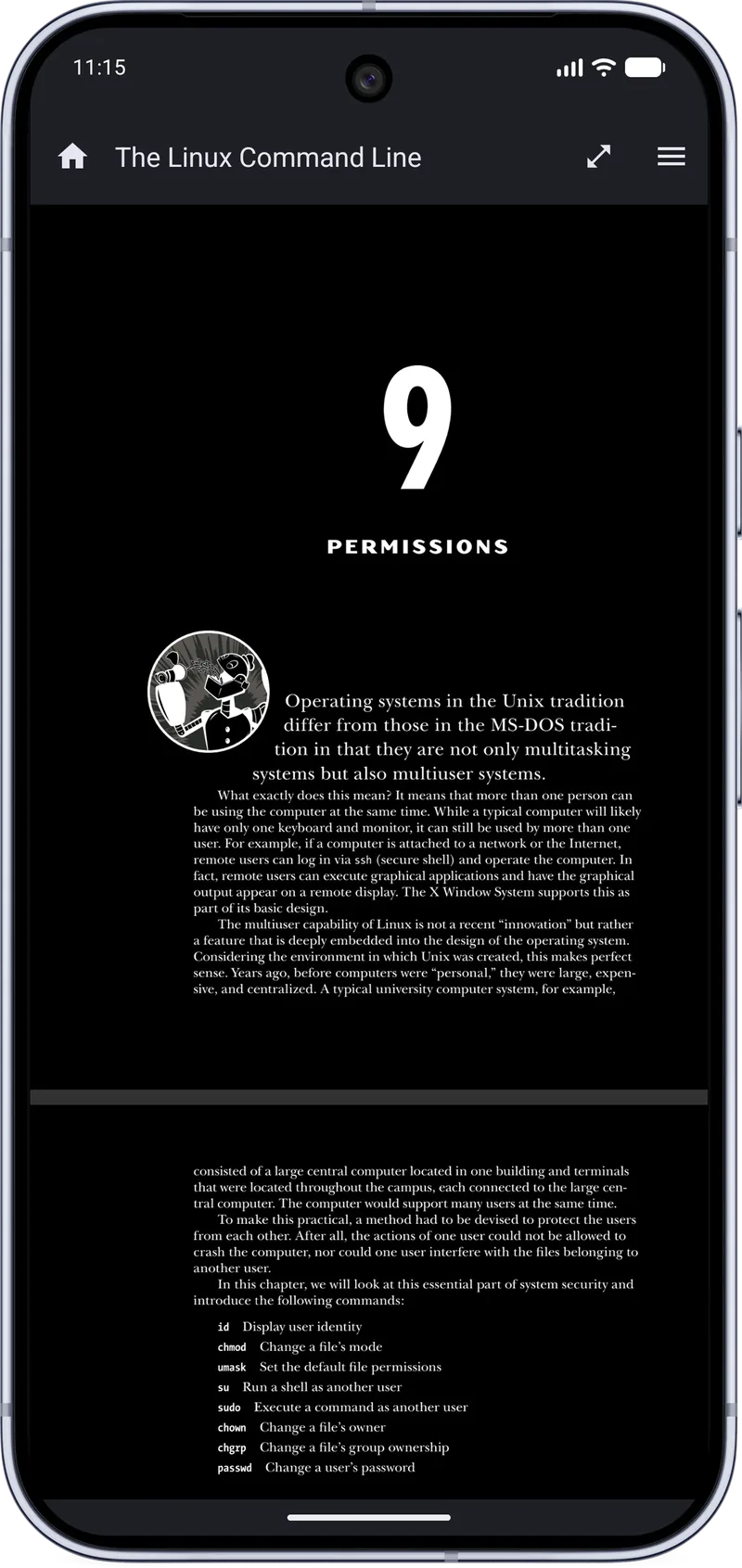
Many PDF apps only darken their toolbars while the white page still glares. MJ PDF 3.1.0 applies dark mode to the page as well, which makes reading at night far more comfortable.
Step by step
- Open your PDFOpen the document you want to read.
- Open the reader menuTap the menu icon at the top right of the reader.
- Tap Dark ModeChoose Dark Mode in the menu. The page and the interface switch immediately.
- Adjust your viewCombine dark mode with full screen or Single Page mode, and use the unified Reading Mode settings to fine-tune the reader.
Tips
- Dark mode is a per-reader toggle, so you can switch back for diagrams that need their original colors.
- Theme controls were improved in 3.1.0.
Related guides
How to Highlight PDF Text on Android
Step-by-step guide to selecting and highlighting text in a PDF on Android with MJ PDF 3.1.0, including color choices and quick actions.
Text Mode: Read a PDF Like an E-book on Android
Learn how Text Mode in MJ PDF 3.1.0 reflows PDF text so you can read it like an e-book on a phone screen.
Get MJ PDF 3.1.0
Free, open source and ad-free. Install from F-Droid or IzzyOnDroid, or read the source on GitLab.