 MJ PDF
How to share quotes from a PDF as images
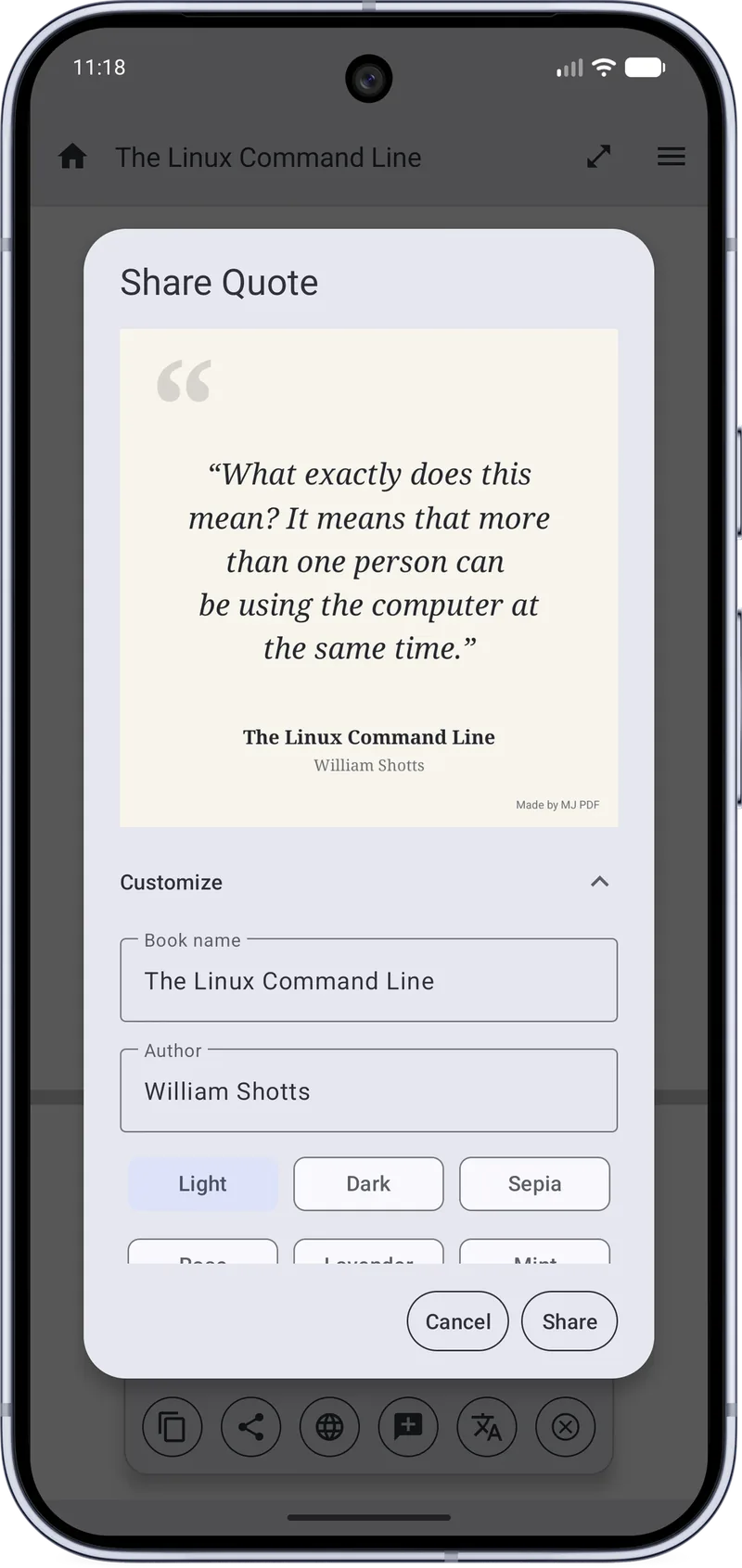
Share Quote turns a passage into a clean quote card with the book title and author. It is a quick way to share a line you liked without screenshots.
Step by step
- Select a passageLong-press and select the text you want to share.
- Open Share QuoteUse the share action on the selection bar to open the Share Quote dialog.
- Fill in the detailsCheck the book name and author fields and edit them if needed.
- Pick a themeChoose a theme such as Light, Dark or Sepia and review the preview.
- ShareTap Share to send the quote card to any app.
Tips
- Keep quotes short; cards read best with a few lines.
- Credit the author by keeping the author field filled in.
Related guides
How to Highlight PDF Text on Android
Step-by-step guide to selecting and highlighting text in a PDF on Android with MJ PDF 3.1.0, including color choices and quick actions.
Text Mode: Read a PDF Like an E-book on Android
Learn how Text Mode in MJ PDF 3.1.0 reflows PDF text so you can read it like an e-book on a phone screen.
Get MJ PDF 3.1.0
Free, open source and ad-free. Install from F-Droid or IzzyOnDroid, or read the source on GitLab.